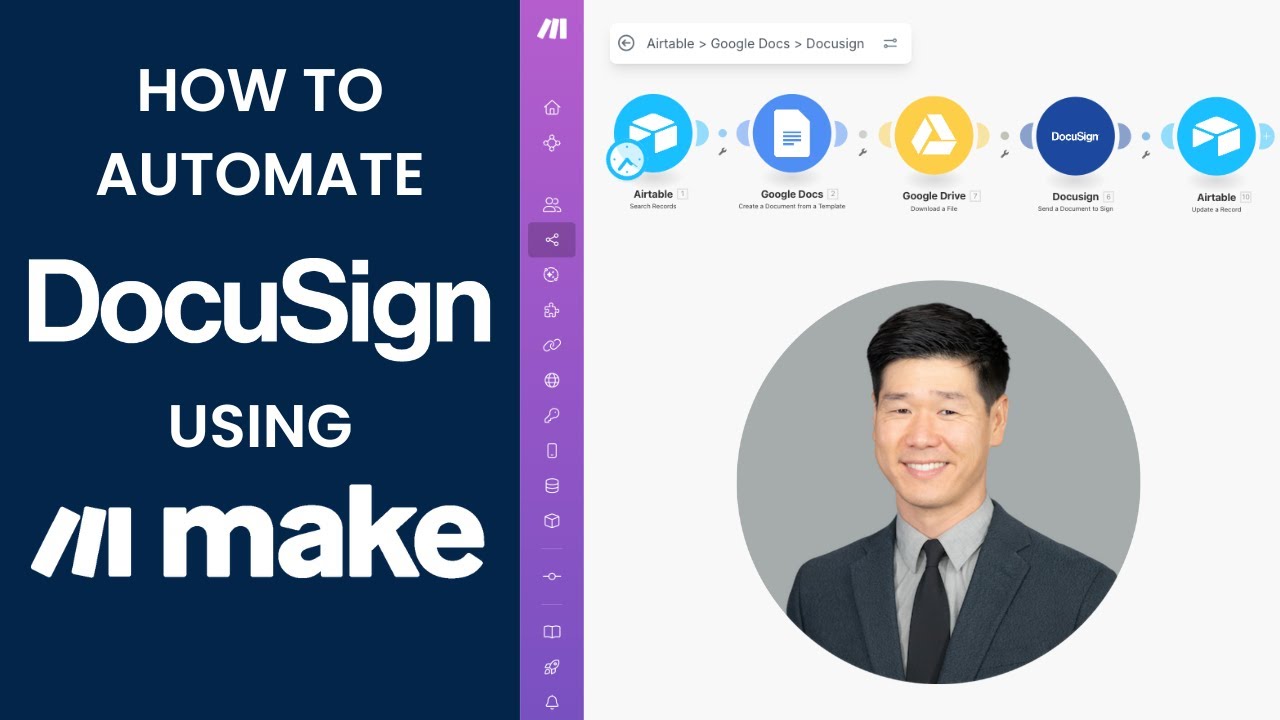

Tired of manually creating, sending, and tracking contracts? In this video, I’ll show you how to automate your entire document workflow — using Airtable, Google Docs, DocuSign, and Make.com — so your contracts can build, send, and store themselves.
📖 Read the step-by-step article on my SubStack:
👉🏾
⚙️ What You’ll Learn:
• Build a simple contract management base in Airtable
• Create a dynamic Google Doc template with merge fields
• Connect everything in Make.com for full automation
• Automatically email contracts via DocuSign and update Airtable with status, links, and envelope IDs
• By the end, you’ll have a complete contract automation system — no manual uploads, no lost files, no wasted time.
🔗 Useful Links
• Airtable:
• Make.com:
• DocuSign:
• Identifying X and Y coordinates for DocuSign signature fields:
⏰ Timestamps:
00:00 What this video covers
00:13 About Matsu Consulting
00:24 Part 1: Setting Up Airtable
01:52 Part 2: Setting Up the Google Docs Template
03:30 Part 3: Setting Up the Make.com Automation
06:30 Part 4: Setting Up the DocuSign module
09:04 Part 4A: Finding the X and Y signature coordinates in DocuSign
12:36 Part 5: Updating Airtable
13:21 Part 6: Testing
14:55 Learn More about Matsu Consulting
_________________________________________
Book a FREE Discovery Call for expert help with Airtable or Make.com
👉
📩 Stay Updated on Automation tutorials!
Subscribe for the latest Airtable and Make.com workflows.
👉 @matsu-consulting
💬 Have Questions?
Drop a comment below!
⚠️ Affiliate Disclaimer
Some of the links in this description are affiliate links, which means I may receive a small commission if you purchase through them — at no extra cost to you. I only recommend tools I’ve personally used and believe can genuinely help streamline your operations.
Music credits: Inspiring Hip Hop (Royalty Free Music)
Nver Avetyan