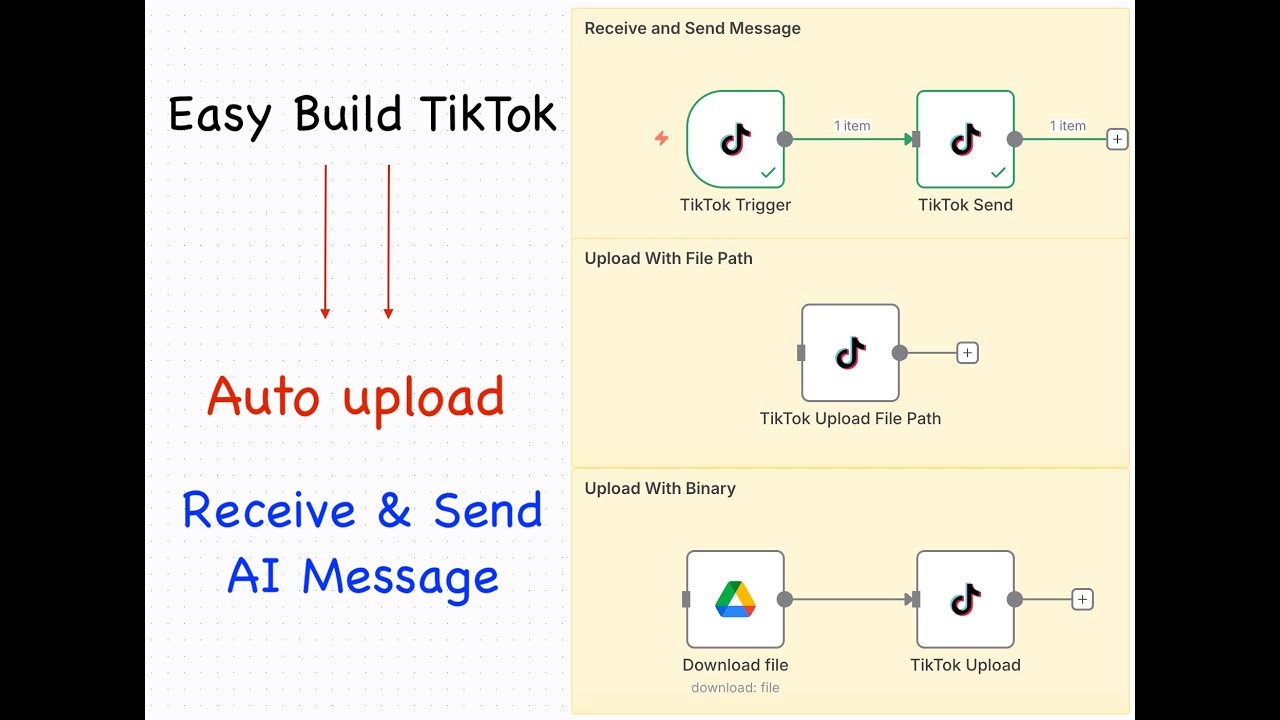

🚀 Automate your TikTok with n8n workflow like a pro!
In this tutorial, I’ll show you step-by-step how to use n8n to automatically upload TikTok videos, receive and reply to TikTok messages, and even integrate smart AI responses.
Perfect for content creators, marketers, and automation enthusiasts who want to save time and grow their TikTok presence effortlessly.
💡 What You’ll Learn:
✅ How to set up n8n workflows for TikTok automation
✅ Auto-upload TikTok videos directly from your PC or cloud storage
✅ Automatically receive and reply to TikTok DMs using AI chatbot
✅ Integrate ChatGPT or other AI tools into your TikTok workflow
✅ Boost productivity and engagement with smart automation
⚙️ Tools & Technologies Used:
n8n (Open-source automation tool)
TikTok API
AI Agent n8n / AI Assistant Integration (ChatGPT, Gemini,…)
Optional: Google Drive / Airtable / Notion for content management
🔥 Why You’ll Love This:
Stop wasting hours posting and replying manually. With TikTok automation using n8n, you’ll have your content and engagement running on autopilot — powered by AI!
📌 Timestamps (optional)
0:00 Install n8n-nodes-social-tiktok community node
0:22 Setup TikTok Session
1:00 Upload Tiktok
3:32 Receive and Send TikTok Message
📢 Stay Connected & Learn More:
✅ Subscribe for more tutorials on AI automation, TikTok bots, and n8n workflows
💬 Leave a comment if you want a free workflow template
📥 Follow for updates and new automation ideas every week!
🔍 Keywords (for YouTube tags/metadata):
auto upload TikTok video, TikTok automation, AI chatbot TikTok, n8n tutorial, TikTok auto uploader, TikTok AI bot, TikTok automation workflow, no code automation, n8n TikTok integration
🏷️ Hashtags:
#TikTokAutomation #n8n #AIChatbot #AutomationTools #TikTokBot #AIAutomation #NoCode #AutoUploadTikTok #ChatGPTAutomation