
🚀join our paid skool community and go from beginner to expert in n8n and AI Automations! 👇
✨join our FREE skool community and get access to all of our resources 👇
📥Download the workflow for FREE here 👇
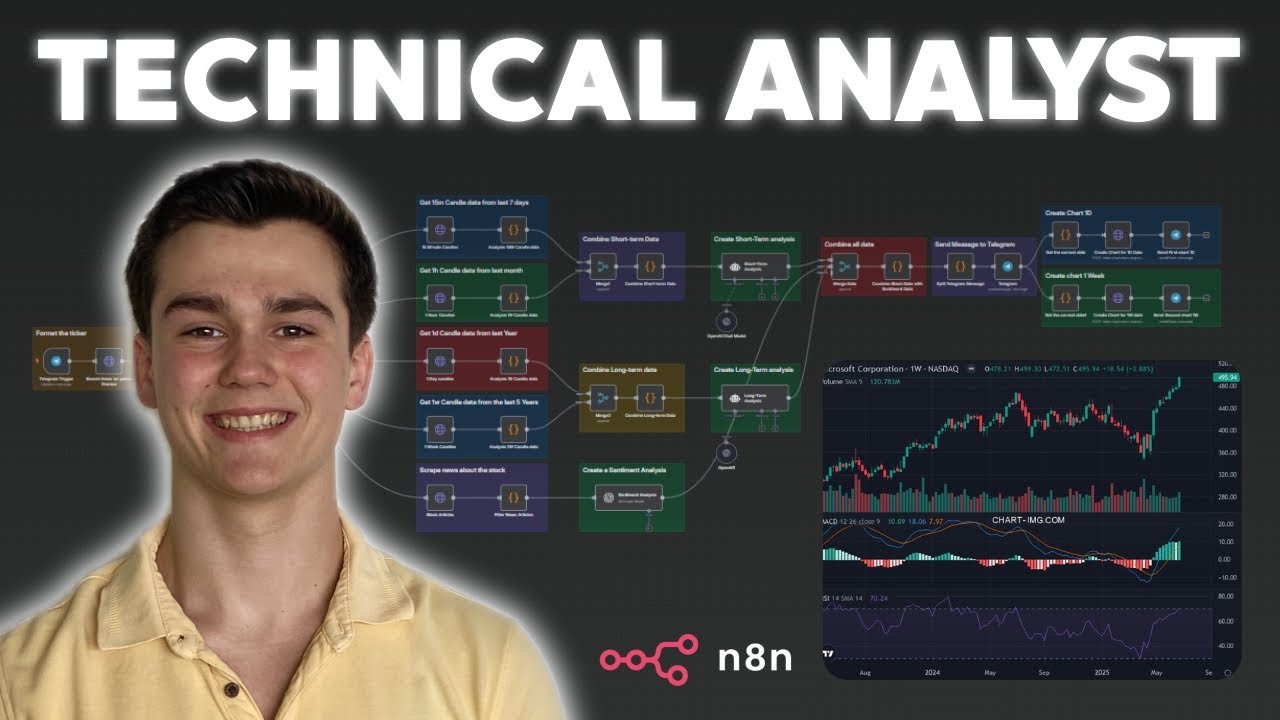
Build an n8n Technical Analyst AI agent for stocks. We’ll fetch OHLC candlesticks from Yahoo Finance, compute technical indicators in a Code node, add news sentiment, and send a clean analysis + charts to Telegram.
What you’ll build
-Telegram/Chat input to request a ticker
-HTTP Request to pull multi-timeframe OHLC data (Yahoo Finance)
-Code node to calculate indicators and structure results
-AI summary + optional sentiment from headlines
-Charts for short- and long-term context
-Send analysis to Telegram (optionally save to Sheets/CSV)
Tools used
n8n · HTTP Request · Code node · OpenAI · Telegram nodes
Affiliate links — (We get a small kickback if you sign up, thanks for supporting!)
🚀 Start automating with n8n:
👉 Try Apify for free:
Disclaimer:
This video is for educational purposes only and does not constitute financial advice. The technical analyst is intended to be a helpful tool and may assist in your decision-making, but it is not guaranteed to be 100% accurate. Always conduct your own research before making any financial decisions. We are not responsable for any losses you may face when using this technical analyst.
Disclaimer:
This video and any associated workflows/templates are provided for educational and illustrative purposes only. The workflows shown are technical examples. You, as the user, are solely responsible for ensuring that any use complies with applicable laws, including the General Data Protection Regulation (GDPR) and other data privacy regulations.
timestamps:
00:00 Intro
00:21 Demo of technical Analyst
01:14 Viewing technical Analyst Results
06:01 Building the Trading Analyst
08:44 Scraping Candlestick Data
09:55 Calculating Technical Indicators
13:02 Creating Short-Term Analysis with AI
17:15 Long-Term Analysis Setup
22:25 Creating Sentiment Analysis
25:47 Creating the Final Analysis
29:29 Creating the Charts
📧 If You’re Interested in Implementing AI Automations Into Your Business than send us an email at: info@swautomation.io
#n8n #Automation #AI