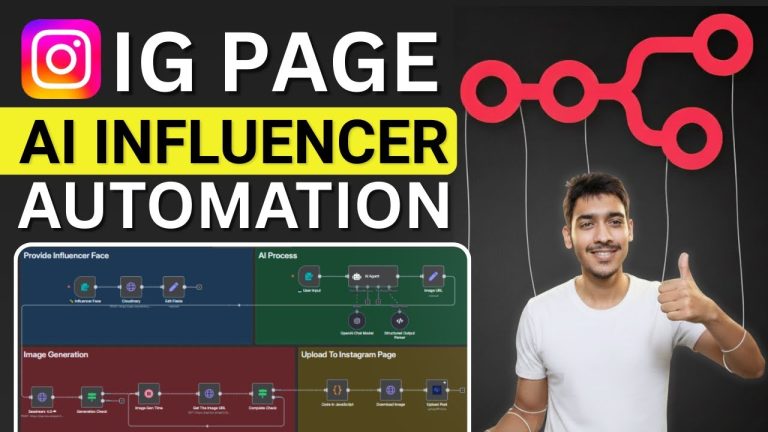
In this n8n tutorial, I’ll show you how to build the ultimate AI Clone, a true Digital Twin that acts as your 24/7 content creation engine. This is the step-by-step guide to building an autonomous AI Influencer that takes a single idea and turns it into a finished, ready-to-post social media video, perfectly on-brand, every single time. Stop the content grind and build the machine that does it for you.
We will design the entire multi-agent system that writes, directs, generates, and voices your content. This is the future of personal branding and marketing automation – a consistent digital asset that builds your brand while you sleep.
📚 Get the FREE System Prompts (Builder’s Library):
🚀 Get the One-Click n8n template & Full System (Creative Automation HQ):
Helpful resources:
Telegram Trigger:
Google Cloud & Veo3 Setup:
We’ll build this entire creative automation workflow from the ground up, connecting Google’s Gemini for scriptwriting, Google’s Nano Banana for image generation, Veo 3.1 for video generation, ElevenLabs for voice cloning, and Fal.ai for final assembly. This isn’t just a tutorial; it’s the architectural plan for a standalone, automated social media studio.
🔥 IN THIS TUTORIAL, YOU WILL LEARN:
• The complete system architecture for an autonomous AI Influencer.
• How to build a “Digital Twin” content creation system from scratch.
• How to prompt AI Agents for scriptwriting and video direction.
• How to generate an AI video from a single reference image using an API.
• The critical workaround to automate custom AI voice cloning with ElevenLabs.
• How to use CloudConvert and Fal.ai to split and merge video/audio tracks.
• How to build API status loops in n8n to handle asynchronous jobs.
• The complete n8n workflow for a “human-in-the-loop” approval gate.
🛠️ THE TECH STACK:
• n8n: The core platform for our workflow automation. →
• Telegram: For sending prompts and receiving final videos.
• Google Cloud: To access the Gemini and Veo AI models.
• Google Drive: For storing your AI Clone image and final video assets.
• CloudConvert: For splitting the audio from the video file.
• ElevenLabs: For the high-quality AI voice cloning and replacement. →
• Fal.ai: For the powerful and cheap FFmpeg API for final video assembly.
Disclosure: Some links are affiliates, which means I may earn a commission at no additional cost to you. I only recommend tools I personally use and trust in my own systems.
⏰ TIMESTAMPS:
0:00 – It’s Not an AI Clone, It’s a Digital Asset
0:40 – The Full n8n Architecture Overview
2:38 – Section 1: The Telegram Trigger
3:02 – Section 2: The AI Content Engine (AI Scriptwriter)
4:44 – Section 3: The AI Video Director (AI Cinematographer)
5:24 – Section 4: Scene Generation (AI Influencer Creation)
6:56 – Section 5: The Human-in-the-Loop Quality Gate
8:17 – Section 6: AI Video Generation (Veo 3.1 API)
9:53 – Section 7: The Voice Swap (CloudConvert & ElevenLabs)
12:51 – Section 8: Final Assembly (Fal.ai FFmpeg API)
14:46 – Section 9: Final Review & Archiving
15:32 – How to Get the One-Click Template
#n8n #AIClone #DigitalTwin #AIInfluencer #AIAgent #Automation #MarketingAutomation #ContentAutomation #SocialMediaAutomation #AIvideo #ElevenLabs #GoogleGemini #GenerativeAI #NoCode #VirtualInfluencer