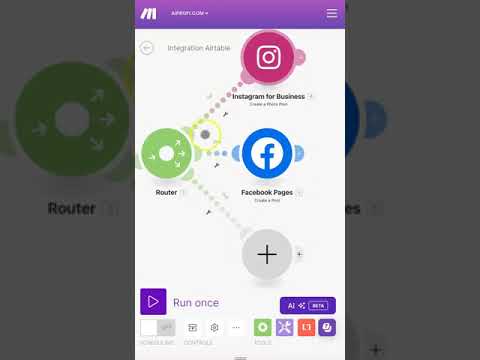
In this video you will get a full overview of the Make.com Conditional Functions, including IF, IF Empty & Switch.
The IF function in Make.com is a conditional function that works similarly to IF in Excel or other programming languages. It evaluates a condition (usually the first argument) and returns one of two possible outcomes: a true value if the condition is met, and a false value if it’s not.
How it works:
condition – This is the first value. Make evaluates it as a boolean:
– If the value is truthy (e.g., true, a non-zero number, a non-empty string), the result is considered true.
– If the value is falsy (e.g., false, 0, empty string “”, null, or undefined), the result is considered false.
– trueValue – This is the value returned if the condition is true.
– falseValue – This is the value returned if the condition is false.
The ifEmpty function in Make.com is used to check whether a value is empty, and if it is, replace it with a default value. It’s super handy when working with optional fields, like form submissions or API responses, where some values might be missing or blank.
Common Use Cases:
– Ensuring fallback values for optional fields.
– Preventing Make scenarios from failing due to null or blank inputs.
– Auto-filling defaults in form submissions or webhook payloads.
The switch function in Make.com is like a smarter version of IF—perfect when you have multiple conditions or cases to evaluate. Instead of chaining multiple IF functions, switch helps you keep things clean and readable.
How it works:
– value – This is what you’re checking against (like a status, type, or category).
– caseX / resultX pairs – You provide one or more cases and what to return if there’s a match.
– defaultResult – This is the fallback if none of the cases match.
Hello Automation-Lover!
👉 Ready to finish that tough Make.com automation?
Get Personalized On-Demand Co-Building Sessions from Trusted Make.com Experts:
👉 Why struggle with Make.com alone?
I’ve created the Co-Build Collective, a community where entrepreneurs like you can master Make.com without the frustration of going it alone.
With live co-build sessions, expert guidance, a supportive forum, and ready-to-use templates, you’ll get the hands-on help you need to streamline your business, automate your workflows, and level up your automation and AI skills.
join the Community:
👉 Ready to get started with Make.com?
Create a Make Account: (affiliate link)
👉 Join My Email List
✨ Insights from Andy O’Neil – Expert strategies, personal tips, and behind-the-scenes knowledge.
🎥 Curated Video Content – The best YouTube videos, handpicked for you, with transcripts and outlines for easy learning.
🚀 Regular Updates on Hot Topics – Stay ahead with fresh, actionable advice.
🎁 Subscriber-Only Perks
👉 Connect on LinkedIn: –
⌚ Looking for something specific?
00:00 – Introduction to Array Functions and Automation
00:26 – Creating Fake Order Data with CSV Files
00:52 – Understanding Arrays and Their Functions
01:16 – Mapping Scenarios with Arrays Explained
01:37 – How to Map Arrays for Data Organization
02:04 – Using Raw Columns in CSV Files
02:31 – Mapping Functions and Organizing Data
02:54 – Boolean Functions for Conditional Logic
03:18 – Enabling and Disabling Routes in Arrays
03:41 – Running Data with Text Aggregators
03:59 – Finding Text in Arrays Effectively
04:20 – Subscribe for More tutorials on Functions
#weblytica #automation #make.com #integromat
Thanks for watching!
Weblytica empowers business owners by adopting a co-building approach to integrate automation into their businesses. This collaborative method ensures that the automation solutions are not only tailored to the unique needs of each business, but also align with the owner’s vision and goals. By working closely with entrepreneurs, Weblytica turns complex automation into an accessible and valuable tool, enhancing efficiency and fostering business growth.
© Weblytica, LLC